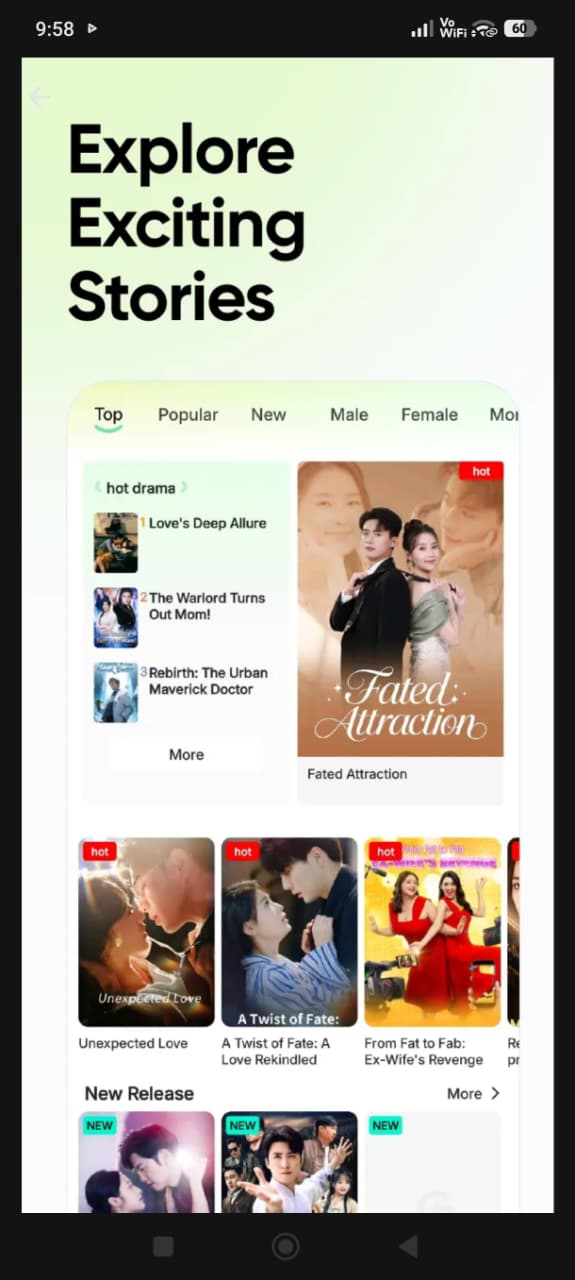
DramaGood app download is one of the most searched phrases by Android users who want a clean, safe place to find original apps and games. If you have heard about DramaGood (many people also search for it as Drama Good) and want to know what it is, how to use it like an app on your phone, and how to download apps from it safely, this complete guide is for you. We will explain everything step by step in simple words — from adding DramaGood to your home screen, to installing an APK file correctly, to keeping your phone protected.
By the end of this article you will know exactly how the DramaGood app download process works, what makes DramaGood different from typical APK websites, and how to fix the most common installation problems in a minute.
What Is DramaGood?
DramaGood is a website for Android users that shares original apps and games from their official developers, together with detailed and honest guides. Instead of only giving you a download button, every app page on DramaGood explains what the app does, what is new in the latest version, how big the file is, which Android version it needs, and how to install it safely.
The idea behind DramaGood is simple: people should be able to find the apps they need without falling into fake download buttons, modified files or confusing pages. That is why DramaGood follows a strict rule — no modded, hacked or cracked APK files are published. Every app comes from an official source such as the developer’s website or Google Play.
The name is easy to remember, and you will find it written in two ways online: DramaGood and Drama Good. Both refer to the same website, dramagood.com.
Who is DramaGood for?
- Everyday Android users who want a quick, simple way to discover useful apps and games.
- People with older phones who need to check file size and minimum Android version before downloading.
- Users in regions where some apps are hard to find and who want the official file with clear instructions.
- Developers who want to share their original app with new users through the DramaGood submission page.
DramaGood App Download: How It Works
A common question is: “Is there a separate DramaGood app?” The short answer is that DramaGood works directly in your phone’s browser, so you do not need to install anything extra to use it. The good news is that you can still use DramaGood just like an app. Modern Android browsers let you add any website to your home screen, where it gets its own icon and opens with one tap — exactly like an installed app.
This approach has real advantages over installing an unknown APK just to browse a website:
- No storage wasted – a home screen shortcut takes almost no space.
- Always up to date – you always see the newest version of every page, with no updates to install.
- No extra permissions – a website shortcut cannot read your contacts, messages or files.
- Works on almost every phone – any modern browser such as Chrome, Samsung Internet, Firefox or Edge is enough.
So when people talk about the “DramaGood app download”, they usually mean one of two things: adding DramaGood to the home screen, or downloading apps and games from DramaGood. We cover both in detail below.
How to Add DramaGood to Your Home Screen (Use It Like an App)
Follow these steps in Google Chrome on Android. The exact words may be slightly different depending on your phone and browser version, but the idea is the same everywhere.
- Open Google Chrome on your Android phone.
- Type dramagood.com in the address bar and open the website.
- Tap the three-dot menu (⋮) in the top-right corner of the browser.
- Tap “Add to Home screen” (on some versions this option is called “Install app”).
- Keep the name DramaGood or change it if you like, then tap Add.
- If your phone asks, confirm by tapping Add or Add automatically.
That’s it. You will now see the DramaGood icon on your home screen. Tap it any time to open the site instantly, search for apps and read the latest guides.
Samsung Internet and other browsers
In Samsung Internet, open dramagood.com, tap the menu (three lines) at the bottom, then choose “Add page to” → “Home screen”. In Firefox, open the site, tap the menu and choose “Add to Home screen”. The result is the same: a DramaGood icon that opens the website like an app.
How to Download Apps and Games from DramaGood
Downloading an app from DramaGood is designed to be quick and clear. Here is the full process:
- Search for the app. Use the search bar at the top of any page, or browse the full list of apps and categories.
- Open the app page. You will see the app icon, developer name, rating, number of downloads, file size and latest version — all at the top.
- Read the details. Scroll down to see screenshots, the full description, key features, what’s new and the App info box with requirements.
- Tap the download button. Depending on the app, you will either get the official APK file from the developer or be taken to the app’s Google Play page.
- Install the app. If it opens in Google Play, simply tap Install. If you downloaded an APK file, follow the installation steps in the next section.
Before you tap download, always check two things in the App info box: the file size (make sure you have enough free storage) and the “Requires Android” line (make sure your phone’s Android version is the same or newer).
How to check your Android version
Open Settings → About phone and look for Android version. On some phones it is inside Settings → About phone → Software information. Compare this number with the requirement shown on the DramaGood app page.
How to Install an APK File Safely
When an app is downloaded as an APK file instead of through Google Play, Android asks for permission before installing it. This is a normal security feature. Here is how to install the file correctly:
- Tap the downloaded file in your browser’s download bar, or open your Files / Downloads app and tap the APK.
- If you see a message like “For your security, your phone is not allowed to install unknown apps from this source”, tap Settings.
- Turn on “Allow from this source” for the browser or file manager you are using.
- Go back and tap Install.
- When the installation finishes, tap Open to start the app.
Safety tip: after installing, you can go to Settings → Apps → Special app access → Install unknown apps and switch the permission off again for your browser. This keeps your phone protected from accidental installs in the future. The menu names can vary a little between phone brands, but the option is always inside the Apps or Security section.
What about Google Play Protect?
Google Play Protect is built into most Android phones and scans apps for harmful behaviour. Keep it switched on. If Play Protect ever shows a warning about an app, read it carefully. Original apps from official developers normally install without problems, which is one more reason DramaGood only shares original files.
Key Features of DramaGood
Here is a quick overview of what you get when you use DramaGood:
| Feature | What it means for you |
|---|---|
| Original apps only | Files come from official developers or Google Play — no mods, hacks or cracks. |
| Detailed app pages | Description, features, screenshots, changelog and requirements in one place. |
| Clear App info box | Version, update date, size, Android requirement, developer and category at a glance. |
| Real user ratings | Visitors can rate apps, and only real votes are counted. |
| Fast, light design | Pages load quickly even on slow connections and older phones. |
| Simple categories | Browse Entertainment, Video Players, Games, Tools, Education and more. |
| Home screen shortcut | Use DramaGood like an app without installing anything extra. |
| App submission | Developers can submit original apps for review. |
Is DramaGood Safe to Use?
Safety is the main reason DramaGood exists. Many APK websites attract visitors with “premium unlocked” or “unlimited coins” versions of popular apps. Those files are changed by unknown people, and changed files can hide adware, data theft or other unwanted behaviour. DramaGood avoids this risk completely by refusing to publish modified files.
Here is what DramaGood does to keep the experience safe:
- Official sources only: download links point to the developer’s own file or to Google Play.
- No modified APKs: mod, hack and crack versions are not accepted, even through the app submission form.
- Every submission is reviewed: apps sent by users are checked by the DramaGood team before they go live.
- Clear information: developer name, package name and version are shown, so you know exactly what you are installing.
- Privacy-friendly statistics: visitor counting is anonymous, as explained in the privacy policy.
Of course, staying safe online is always a team effort. Whatever website you use, follow the simple habits in the next section.
Simple habits that keep your phone safe
- Check the developer name and compare it with the official one.
- Read the permissions an app asks for. A flashlight app does not need your contacts.
- Keep Google Play Protect turned on.
- Update your apps when new official versions are released.
- Never enter your passwords or bank details into an app you do not trust.
- Avoid any file that promises paid features for free — that is the most common sign of a modified app.
Why DramaGood Does Not Share Mod APKs
It is worth explaining this rule in a little more detail, because it is what makes DramaGood different.
1. Your security. A modified APK is no longer the developer’s app. Someone has opened it, changed the code and packed it again. You have no way to know what else was added.
2. Your accounts. Many games and streaming apps detect modified versions and can suspend or ban the account that uses them. You could lose your progress, purchases or subscription.
3. Updates and stability. Modified apps usually cannot update normally, often crash and may stop working without warning.
4. Fairness to developers. Developers spend months building apps. Using the original version supports them and helps them keep improving the app you enjoy.
For all these reasons, DramaGood focuses on original files and useful information — the safest choice for you and the fairest choice for app creators.
Categories You Can Explore on DramaGood
DramaGood organises apps into clear categories so you can find what you need quickly:
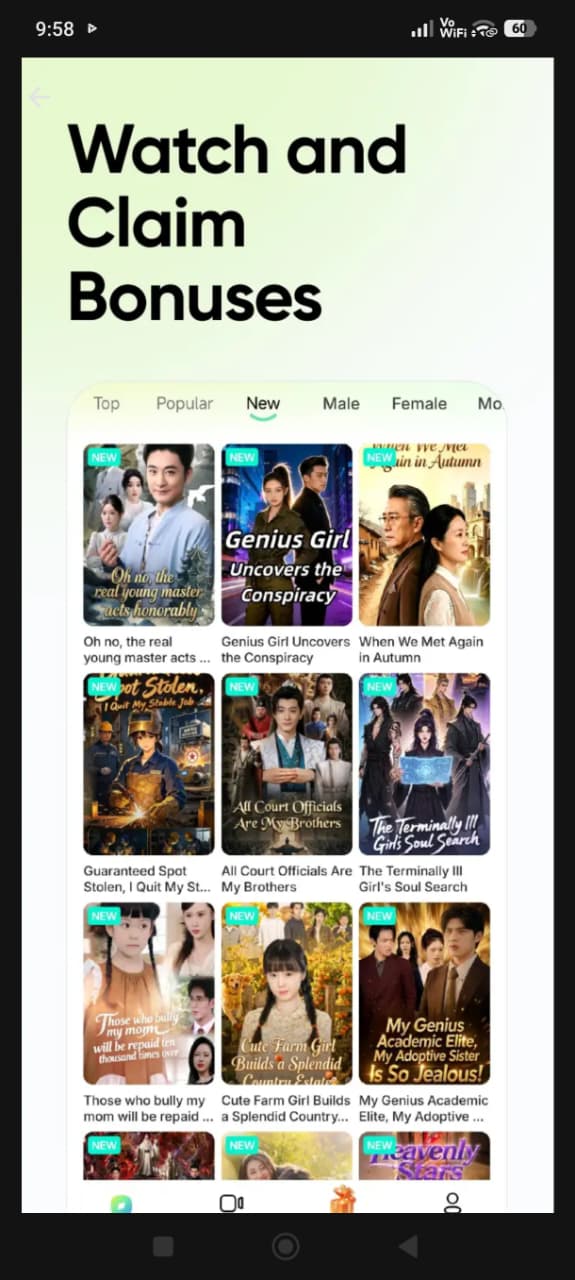
- Entertainment – apps for shows, dramas, movies and fun content from official providers.
- Video Players – players that support many formats, subtitles and offline viewing.
- Games – original games of every type, from puzzles to action.
- Social & Communication – messaging, calling and community apps.
- Tools & Productivity – file managers, cleaners, notes, scanners and more.
- Education – learning apps for languages, school subjects and skills.
- Music & Audio – music players, radio and podcast apps.
- Photography – camera, editing and collage apps.
Each category page lists the newest apps first, and you can also see popular and recently updated apps on the homepage.
Common DramaGood App Download Problems and How to Fix Them
Most installation problems have simple causes. Here are the ones Android users meet most often, with quick fixes.
“App not installed”
- Not enough storage: free up space by deleting unused apps, old videos or cached files, then try again.
- An older or different version is already installed: uninstall the existing version first (back up your data if needed), then install the new file.
- Incomplete download: delete the file and download it again on a stable connection.
“There was a problem parsing the package”
This usually means the app needs a newer Android version than your phone has, or the download was not completed. Check the “Requires Android” line on the DramaGood app page and compare it with your phone’s Android version. If your phone is older, look for an alternative app that supports your version.
The download does not start
- Make sure you are connected to the internet and that your browser is allowed to download files.
- Check your Downloads folder — the file may already be there.
- If a new tab opened, close it and tap the download button again on the DramaGood page.
Play Protect blocked the installation
Play Protect may show a message for apps installed outside Google Play, especially if the app is new or rarely used. Read the message carefully. If you are unsure, choose the Google Play version of the app instead whenever it is available on the app page.
The home screen shortcut is missing
Some launchers place new shortcuts on the last home screen page or in the app drawer. Swipe through your screens, or simply repeat the “Add to Home screen” steps in your browser.
DramaGood vs. Typical APK Websites
How does DramaGood compare with the many APK download sites you can find online? Here is an honest side-by-side comparison with the typical “mod APK” type of website:
| Point | DramaGood | Typical mod APK website |
|---|---|---|
| Type of files | Original apps from official sources | Often modified or “unlocked” files |
| Account safety | No risk of bans for using a modified app | Accounts can be suspended |
| Information | Full guide, requirements and changelog | Often just a short text and buttons |
| Updates | Normal official updates | Updates often break or stop |
| User submissions | Reviewed before publishing | Usually not checked |
| Supports developers | Yes | No |
How Developers Can Submit an App to DramaGood
If you are an app developer, or you want to recommend an original app, you can use the Submit Your App page. The form asks for everything a good app page needs:
- App name, category, developer, version, size and Android requirement
- Official download link or Google Play link
- App icon and screenshots
- Focus keyword, meta description and up to five tags
- A unique article of at least 1,500 words describing the app
Every submission is reviewed by the DramaGood team. Copied articles and modified apps are rejected, so only helpful, original content reaches the website. Once your app is approved, you receive an email with the live link.
How DramaGood Keeps App Information Up to Date
An app page is only useful if its information is correct. That is why every DramaGood app page shows an “Updated” date in the App info box, so you can see at a glance how fresh the details are. When a developer releases a new official version, the page is refreshed with the new version number, file size, requirements and a short summary in the “What’s new” section.
Visitors also help. If you notice that a newer official version is available, or that a link has stopped working, you can let the team know through the Contact Us page. Real user ratings on each page also show which apps people find most useful today, not years ago.
Tips to Get the Best Experience on DramaGood
- Add DramaGood to your home screen so you can open it in one tap.
- Use the search bar with the exact app name for the fastest results.
- Read “What’s new” before updating, to see what has changed in the latest version.
- Rate apps you have used — your rating helps other visitors choose better apps.
- Check “Similar apps” on every app page to discover good alternatives.
- Use Wi-Fi for large games to save mobile data and avoid broken downloads.
Requirements for Using DramaGood
Using DramaGood itself has almost no requirements:
- An Android phone or tablet (DramaGood also opens on iPhone and computers, but the apps listed are for Android).
- Any modern browser such as Chrome, Samsung Internet, Firefox, Edge or Opera.
- An internet connection.
Each individual app has its own requirements, which are always shown in the App info box on its page.
Frequently Asked Questions About DramaGood App Download
Is the DramaGood app free?
Yes. Using DramaGood is completely free, and adding it to your home screen is free as well. Many apps listed on DramaGood are free too; if an app has a price or in-app purchases, that is set by its developer.
Is DramaGood the same as “Drama Good”?
Yes. DramaGood and Drama Good are the same website, dramagood.com. People simply type the name in both ways.
Do I need to install an APK to use DramaGood?
No. DramaGood works in your browser. To use it like an app, follow the “Add to Home screen” steps in this guide.
Does DramaGood share mod or hacked APKs?
No. DramaGood only shares original apps from official developers. Mod, hacked and cracked files are never published.
Is it safe to download APK files from DramaGood?
DramaGood links only to official files and Google Play, and every user submission is reviewed. For extra safety, keep Google Play Protect on and switch off “Install unknown apps” after installing.
Why does my phone say “App not installed”?
The most common reasons are low storage, an older version already installed, or an incomplete download. See the troubleshooting section above for step-by-step fixes.
Can I use DramaGood on iPhone?
You can open and read DramaGood on iPhone, but the apps listed are Android apps. iPhone users should use the App Store for iOS versions of their favourite apps.
How can I submit my app to DramaGood?
Open the Submit Your App page, fill in every field, upload the icon and screenshots, and send it for review. You will get an email when it goes live.
How often are apps updated?
App pages are updated when developers release new official versions. The “Updated” date in the App info box shows when a page was last refreshed.
Conclusion
The DramaGood app download process is simple: open dramagood.com in your browser, add it to your home screen to use it like an app, and then search, read and download original Android apps and games with confidence. Because DramaGood shares only official files, explains every app in detail and reviews every submission, it gives you a safer and clearer experience than typical APK websites.
Whether you are looking for an entertainment app, a video player, a useful tool or a new game, start with DramaGood — and remember the simple safety habits from this guide. Browse all apps on DramaGood now and find your next favourite app the safe way.