
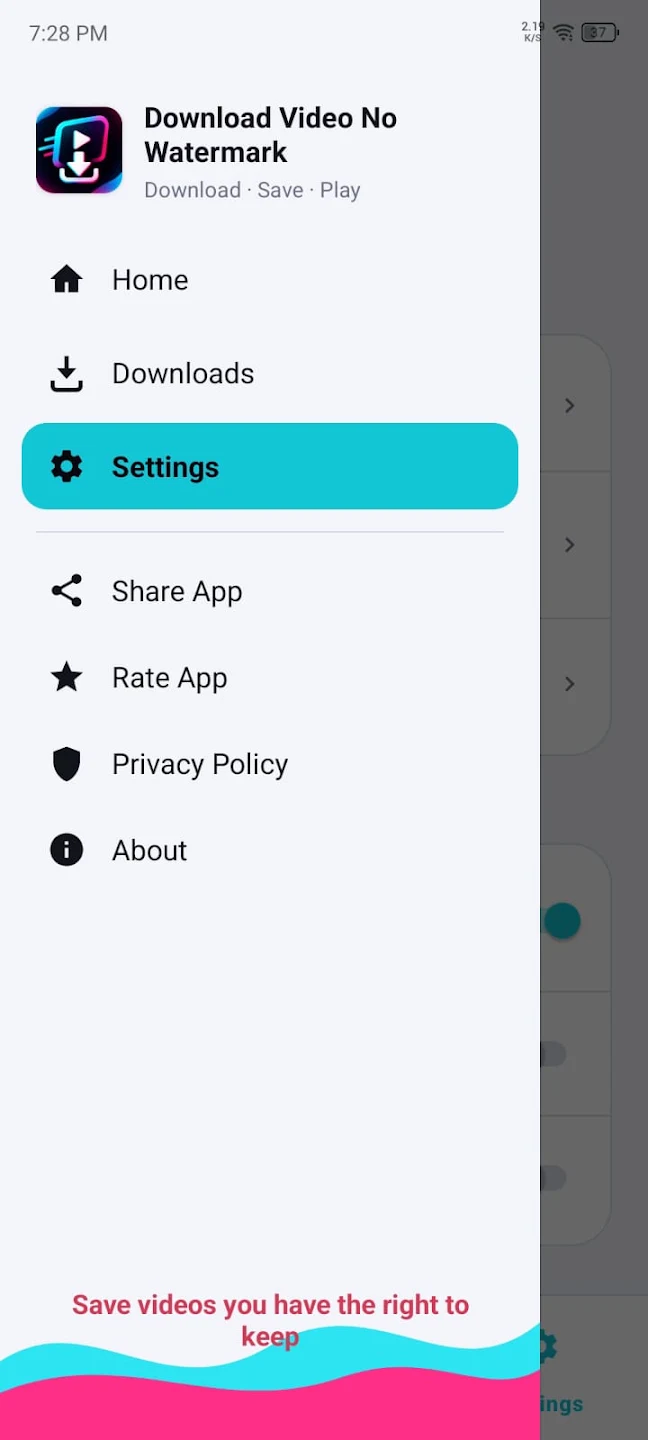
Looking for an easy way to do a TikTok video download without watermark on your Android phone? Video Downloader for TT (listed on Google Play as “Download video no watermark”) is a free, lightweight app that saves short videos and music in HD without the watermark logo, with no login required. You simply copy a video link or share it to the app, and the download starts in seconds.
Disclosure: this app is made by us, the developer behind this website (published on Google Play as Aice Xpert). We want to be open about that. In this guide we explain exactly what the app does, how to use every feature, what it cannot do, and how to download videos responsibly — so you can decide for yourself whether it is right for you.
What Is Video Downloader for TT?
Video Downloader for TT is an Android tool app that helps you save short videos from TikTok to your phone’s gallery. The main difference from saving a video inside the TikTok app is that our app saves the video without the watermark logo moving around the screen, so the clip looks clean when you watch it offline.
The app is listed in the Tools category on Google Play, has a content rating of Everyone, and is free to download. It is supported by ads. It is an independent app and is not affiliated with, sponsored by, or officially connected to TikTok or any other platform.
Besides videos, the app can also save supported audio, turn videos into live wallpapers, and help you make ringtones. It is designed to be small and simple, so it works well even on phones with limited storage.
Who is this app for?
- People who want to watch their favourite clips offline, for example while travelling or when the internet is slow.
- Content creators who want a clean copy of their own videos for editing or reposting on other platforms.
- Users who like custom wallpapers and ringtones made from short videos and sounds.
- Anyone who wants a simple downloader without creating an account or logging in.
TikTok Video Download Without Watermark: How It Works
When you save a video inside TikTok (if the creator allows downloads), the saved file usually includes a watermark with the TikTok logo and the creator’s username. That is fine for sharing, but many people prefer a clean version for offline viewing or for editing their own content.
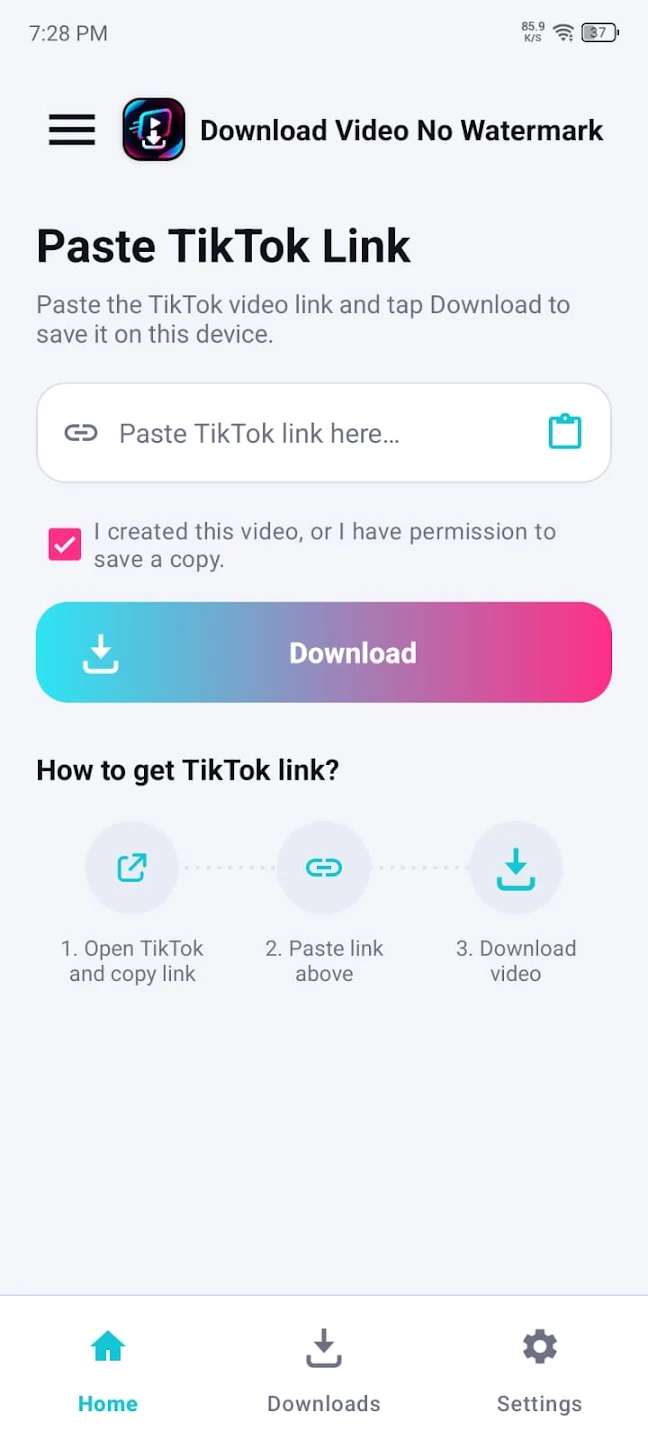
Our app works with the public link of a video. When you paste the link, the app finds the video file connected to that link and saves it to your phone in good quality, without the moving watermark. Everything happens inside the app — you do not need to visit any website, and you do not need to log in to any account.
There are two easy ways to start a download:
- Copy and paste the link – copy the video link from TikTok, open our app, and paste it.
- Share to the app – tap Share on a video, choose our app from the share menu, and the download begins.
Both methods are explained step by step below.
Key Features of Video Downloader for TT
Here is everything the app offers, as listed on its official Google Play page:
| Feature | What it means for you |
|---|---|
| No login required | Download without creating an account or entering a password. |
| No watermark | Save short and HD videos without the watermark logo. |
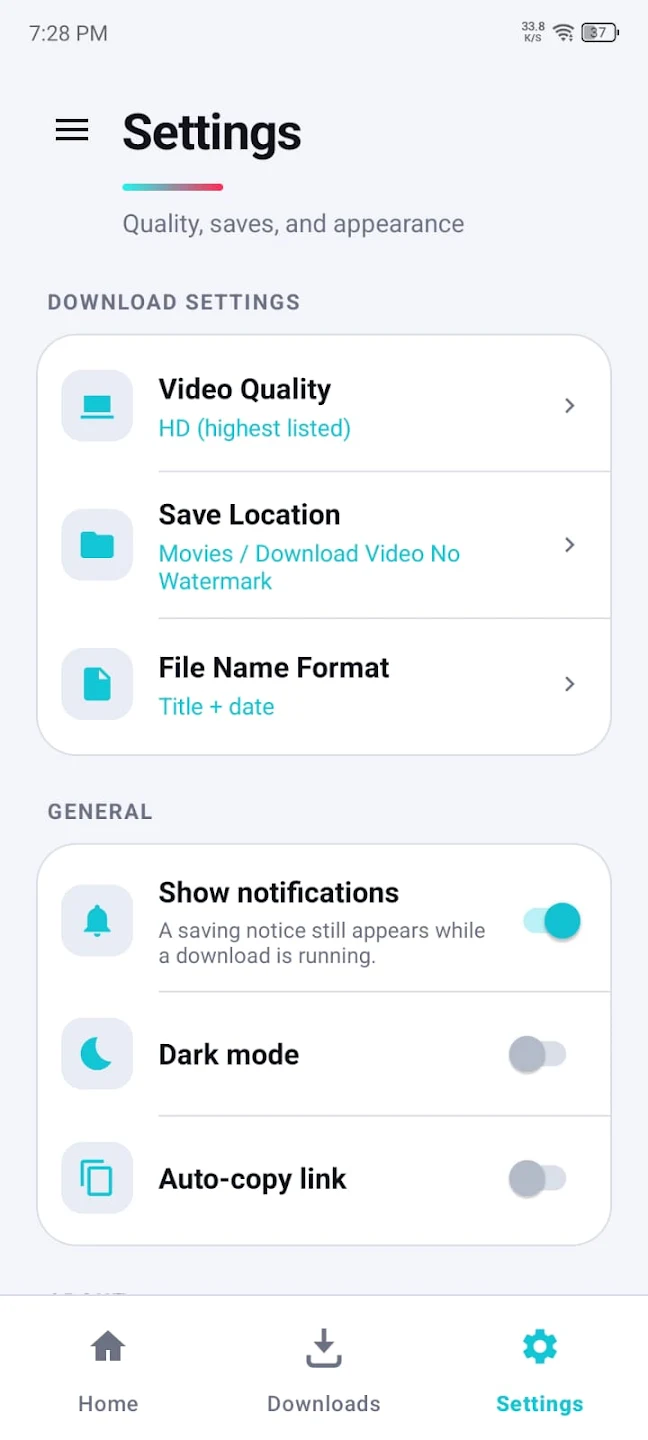
| HD quality | Keep videos in good quality for clear offline viewing. |
| Fast downloads | Videos are saved quickly on a normal internet connection. |
| Music downloader | Save supported audio from videos. |
| Background downloads | Keep using your phone while downloads continue. |
| Multiple downloads | Download several videos at the same time. |
| Live wallpaper | Turn a video into a moving wallpaper for your home screen. |
| Ringtone maker | Create ringtones from supported audio. |
| Lightweight | Small app size and a simple, clean interface. |
No login, no account
Many downloader tools ask you to sign in or connect an account. We built ours without that step. You do not give us your TikTok username or password, and you do not need to register. This keeps the app quick to use and better for your privacy.
Background and multiple downloads
You do not have to wait on one screen while a video downloads. Start a download, go back to TikTok to copy the next link, and the app keeps working in the background. You can also download several videos at the same time, which is useful when you want to save a few clips for a trip.
Live wallpapers
Found a beautiful short clip — a sunset, rain, a city at night? You can set it as a live wallpaper so it plays on your home screen. Live wallpapers use a little more battery than a normal picture, so choose short, calm clips for the best result.
Ringtone maker
The ringtone feature lets you use supported audio as your phone’s ringtone or notification sound. It is a fun way to personalise your phone with a sound you love.
How to Download a TikTok Video Without Watermark (Step by Step)
Method 1: Copy and paste the link
- Install Video Downloader for TT from Google Play using the button on this page.
- Open TikTok and find the video you want to save.
- Tap the Share arrow on the right side of the video.
- Tap Copy link.
- Open our app. Paste the link into the box (many phones show a Paste option when you press and hold the box).
- Tap the Download button.
- When the download finishes, open your Gallery or the app’s downloads section to watch the video.
Method 2: Share directly to the app
- Open the video in TikTok.
- Tap Share.
- Tap More or scroll the share options until you see our app.
- Choose Video Downloader for TT.
- The app opens and starts the download automatically.
The share method is the fastest once you are used to it, because you skip copying and pasting.
How to save only the music
If a video’s sound is supported, you can choose to download the audio only. This is useful when you want to keep a sound for a ringtone or listen to it later. Remember that most music belongs to artists and record labels, so use it for personal use only.
How to set a video as a live wallpaper
- Download the video with the app.
- Open the downloaded video inside the app.
- Choose the live wallpaper option.
- Preview it and confirm. Your phone may ask whether to use it on the home screen, the lock screen or both.
Ways to Save TikTok Videos: A Quick Comparison
There are three common ways to save a short video. Here is how they compare, so you can choose the one that fits you best:
| Method | Watermark | Login needed | Extra tools | Works offline after saving |
|---|---|---|---|---|
| Save inside TikTok | Usually yes | Yes (TikTok account) | No | Yes |
| Downloader websites | Usually no | No | Rarely | Yes |
| Video Downloader for TT app | No | No | Live wallpaper, ringtone maker, background and multiple downloads | Yes |
Saving inside TikTok only works when the creator allows downloads, and the file includes the watermark. Websites can work, but you have to open a browser, paste the link, and often close pop-ups every time. An app like ours keeps everything in one place, supports the share menu, and lets you download several videos in the background — that is the main reason many people prefer an app for a TikTok video download without watermark.
Why Choose Our App?
There are many downloaders, so here is what we focused on when we built Video Downloader for TT:
- Simplicity: one box, one button. Paste the link or share the video, and the download starts.
- Privacy: no login, and according to the Google Play data safety section, no data collected or shared.
- Light on your phone: a small app size, so it does not fill your storage or slow down older phones.
- More than a downloader: live wallpapers and a ringtone maker are built in, so you do not need extra apps.
- Honest limits: we clearly say what the app cannot do, such as private or deleted videos.
Because this is our own app, we also read user feedback on Google Play and use it to improve future updates. If something does not work for you, leaving a review there helps us fix it.
A Guide for Creators: Save Your Own Videos Without Watermark
If you create content, a clean copy of your own videos is very useful. Many creators post the same video on several platforms, and a watermark from one platform can look unprofessional on another. Here is a simple workflow:
- Post your video on TikTok as usual.
- Copy the link to your own video using Share → Copy link.
- Paste it into our app and download the clean HD version.
- Edit if needed — add captions, trim the start, or change the cover in your favourite editor.
- Upload to other platforms with a clean look and no watermark.
This is the best and safest use of a TikTok video download without watermark: your own content, reused by you, wherever you want.
Keep backups of your work
Platforms sometimes remove videos by mistake, or accounts get locked. Keeping clean copies of your own videos on your phone or in cloud storage means you never lose your work. Create a folder such as “My TikTok videos” and save every new upload there.
Popular Ways to Use Downloaded Videos (Responsibly)
Once a video is saved on your phone, there are many useful and respectful ways to enjoy it:
- Offline viewing while travelling. Save cooking tips, workout routines or travel ideas before a flight or a long bus ride, and watch them without internet.
- Learning and tutorials. Short how-to videos — recipes, makeup tips, phone tricks, language lessons — are easier to follow when you can pause and replay them offline.
- Personal collections. Keep a private folder of clips that make you laugh or inspire you, just for yourself.
- Your own content library. Creators can keep clean HD copies of every video they post, ready to edit or upload elsewhere.
- Custom wallpapers. Calm, scenic clips make beautiful live wallpapers for your home screen.
- Personal ringtones. A favourite sound can become your ringtone or notification tone for personal use.
What all of these have in common is that they are personal. If you want to share or publish someone else’s video, always ask the creator first and give clear credit. That way, a TikTok video download without watermark stays helpful for you and fair to the people who made the content.
Updates and Support
Short video platforms change often, and a downloader needs regular updates to keep working smoothly. Because this is our own app, we keep improving it based on real feedback:
- Keep automatic updates on in Google Play so you always have the latest fixes.
- Read the “What’s new” section on this page to see what changed in the latest version.
- Report problems by leaving a review on Google Play or contacting us through our Contact Us page. Tell us your phone model and what happened, so we can fix it faster.
Your feedback helps us decide which features to add next.
Managing Storage on Your Phone
HD videos are larger than normal clips, so it helps to keep your storage tidy:
- Check free space in Settings → Storage before downloading many HD videos.
- Delete clips you have already watched if you only needed them for a trip.
- Back up important videos to cloud storage, then remove them from your phone.
- Clear the app’s cache in Settings → Apps → Video Downloader for TT → Storage if the app ever feels slow.
A little organisation keeps your phone fast and makes your favourite clips easy to find.
What the App Cannot Download
We want you to know the limits before you install. As stated on the Google Play page, some content may not be supported:
- Private videos that only the owner or their friends can see.
- Deleted videos that are no longer on the platform.
- Unavailable or region-restricted videos that cannot be viewed in your country.
If a download fails, first check that the video opens normally in TikTok and that the link is public. You can find more fixes in the troubleshooting section below.
Is It Legal to Download TikTok Videos Without Watermark?
This is one of the most important questions, so we will answer it honestly.
Downloading a video for your own private, offline viewing is common, but the videos, photos and music you download belong to their creators. Having a copy on your phone does not give you the right to re-upload it, sell it or claim it as your own.
Please follow these simple rules:
- Download your own videos freely. If you made the video, you can save a clean copy to edit or post on other platforms.
- Ask permission before reusing someone else’s video. If you want to repost or use a clip in your content, get the creator’s permission first.
- Always credit the original creator if you share their content with permission.
- Do not remove credit or pretend a video is yours. Reposting other people’s work without permission can break copyright law and platform rules, and your account may be removed.
- Be careful with music. Songs are usually owned by artists and labels. Use downloaded audio only for personal purposes.
Our app is a tool. How it is used is the responsibility of each user, and we ask everyone to respect creators’ work.
Is Video Downloader for TT Safe?
Privacy was one of our main goals. According to the data safety section on Google Play:
- No data is shared with third parties.
- No data is collected by the app.
- Data is encrypted in transit.
Because the app does not require login, it never asks for your TikTok username or password. You can read our full privacy policy for more details.
To stay safe with any downloader app:
- Install it only from Google Play, so you get the genuine app and automatic updates.
- Never enter your social media password into a downloader app — ours never asks for it.
- Keep Google Play Protect turned on.
- Avoid “pro” or “unlocked” versions on unknown websites; they are not made by us and may be harmful.
App Details
- App name: Video Downloader for TT (Download video no watermark)
- Developer: Aice Xpert
- Category: Tools
- Content rating: Everyone
- Price: Free (contains ads)
- Login required: No
- Package name: om.downloader.downloaderfortiktok
The latest version number, update date and size are shown in the App info box on this page.
How to Install the App
- Tap the Install button on this page. It opens the official Google Play listing.
- Check that the developer name is Aice Xpert.
- Tap Install and wait a few seconds — the app is lightweight, so it downloads quickly.
- Open the app. If Android asks for permission to save files or show notifications, allow it so downloads can be saved and you can see download progress.
Why does the app ask for storage or media permission?
The app needs permission to save downloaded videos and audio to your phone. Without it, files cannot be stored in your gallery. Notification permission lets you see download progress while the app works in the background.
Tips for the Best Results
- Use Wi-Fi for HD videos. HD files are larger, and Wi-Fi saves your mobile data.
- Copy the full link. Use TikTok’s Copy link option rather than copying text from the description.
- Keep the app updated. Platforms change often, and updates keep downloads working smoothly.
- Free up storage space. Many HD videos can fill your phone quickly. Delete clips you no longer need.
- Choose short clips for live wallpapers. They look better and use less battery.
- Organise your downloads. Create albums in your gallery, such as “Recipes”, “Travel” or “My videos”, to find clips easily.
Common Problems and Fixes
“Download failed” or the link does not work
Make sure the video is public and still available. Open the link in TikTok to check. Copy the link again using Share → Copy link, then paste it into the app.
The video downloads but will not play
The download may not have finished. Delete the file and download it again on a stable connection. Also check that your gallery app is up to date.
Downloaded videos are not in my gallery
Some phones show new files after a short delay. Open the app’s downloads section, or check your gallery’s Downloads or Movies folder. Make sure you allowed storage permission.
Downloads are slow
Switch to a faster Wi-Fi connection, pause other downloads or streaming apps, and try again.
Our app does not appear in the share menu
Tap More in the share options and scroll. On some phones you can drag the app to the front of the list so it is easier to find next time.
Pros and Cons
Pros
- Saves videos without the watermark logo.
- No login or account needed.
- HD quality and fast downloads.
- Background and multiple downloads at once.
- Extra tools: live wallpaper and ringtone maker.
- Lightweight and simple to use.
- Privacy-friendly: no data collected or shared, according to Google Play.
Cons
- Supported by ads.
- Cannot download private, deleted or region-restricted videos.
- Downloaded content still belongs to its creator, so it cannot be reused freely.
Frequently Asked Questions
Is Video Downloader for TT free?
Yes. The app is free to download and use. It is supported by ads.
Do I need to log in to download videos?
No. The app does not require login, and it will never ask for your TikTok username or password.
Can I download TikTok videos in HD without watermark?
Yes. The app saves short and HD videos without the watermark logo, as long as the video is public and available.
Can I download private videos?
No. Private, deleted and region-restricted videos are not supported.
Is it allowed to repost downloaded videos?
Only if they are your own videos or you have the creator’s permission. Always credit the original creator.
Can I download only the sound or music?
Yes, supported audio can be saved. Use music for personal purposes only, because songs usually belong to artists and labels.
Is this an official TikTok app?
No. Video Downloader for TT is an independent app made by Aice Xpert. It is not affiliated with, sponsored by, or officially connected to TikTok.
Does the app collect my data?
According to the data safety section on Google Play, the app does not collect data and does not share data with third parties.
Where are downloaded videos saved?
Videos are saved to your phone and appear in your gallery. You can also find them in the app’s downloads section.
What is the easiest way to do a TikTok video download without watermark?
Install Video Downloader for TT, copy the video link in TikTok, paste it into the app and tap Download. Or use the Share menu and choose our app directly.
How many videos can I download at once?
The app supports multiple downloads at the same time, and downloads continue in the background while you use your phone.
Why did my download fail?
The video may be private, deleted or not available in your region, or the link may be incomplete. Copy the link again with Share → Copy link and try once more.
Does the app work on iPhone?
The app is made for Android and is available on Google Play.
Conclusion
If you want a simple, free way to do a TikTok video download without watermark, Video Downloader for TT gives you clean HD videos with no login, fast background downloads, and handy extras like live wallpapers and a ringtone maker. It is lightweight, privacy-friendly and easy to use with either copy-paste or the share menu.
Download it from Google Play using the button on this page, save your favourite clips for offline viewing, and please remember to respect creators — download your own videos freely, and ask permission before reusing anyone else’s work. For more useful apps, browse our Tools category or see all apps on DramaGood.